> ## Documentation Index
> Fetch the complete documentation index at: https://docs.maadify.com/llms.txt
> Use this file to discover all available pages before exploring further.
# Introduction
> Get started with multi-agent orchestration and automate workflows
## What is Maadify
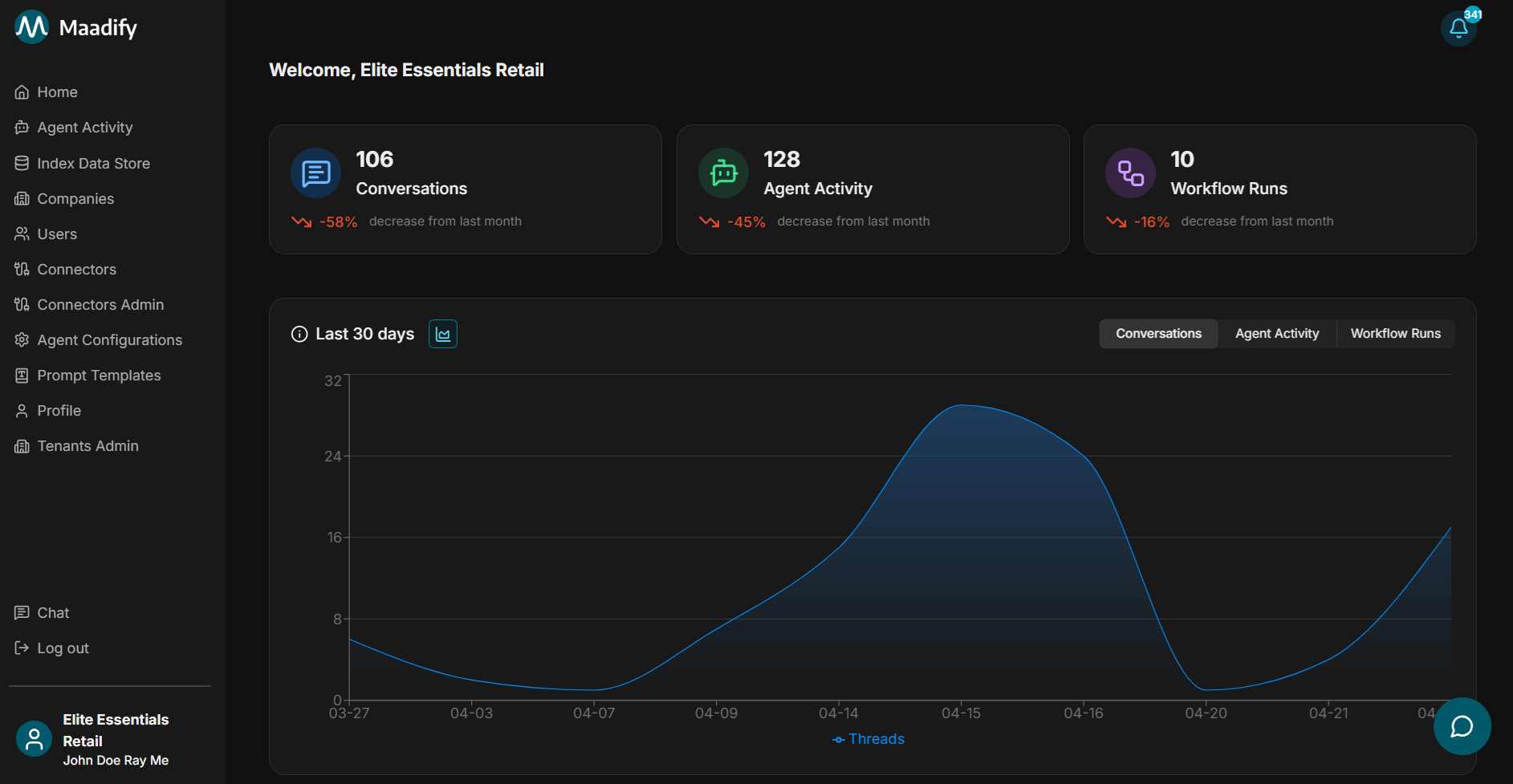
Maadify is a multi-agent orchestration platform. You connect applications, configure agents, and use chat or automated triggers to run workflows that combine standard integrations with agentic actions.
 ## Why teams choose Maadify
Maadify is built for organizations that run agents across many tenants and partners, need strict control over what actions agents can take, and want a complete record of every workflow. The pillars below cover how Maadify combines secure multi-tenant sharing, hybrid orchestration, built-in execution environments, durable context, human-in-the-loop approvals, and full auditability.
Operate across organizations and internal workspaces from one platform. Use **Supplier**, **Channel**, or your own **Workspace** to scope which agents and tools each tenant can see, run, and configure — then deploy parent agents per relationship with their own visibility and tool defaults.
Share a tool with a connected company without handing over the connector. Provide **View**, **Use**, or **Full** tool access, lock default field values so partners cannot change sensitive inputs, and revoke access to remove the tool from every dependent agent at once.
Combine non-deterministic LLM reasoning with deterministic rules, conditions, and tool executions. Route on tool output, runtime inputs, last agent, or last tool, branch with nested condition groups, and add fallback rules so every workflow has a predictable next step.
Run sandboxed Python for parsing, math, validation, and tool chaining, or use the [Maadify Browser Agent](/agents/browser-agent) to log in, navigate, and extract data from sites with no API. Both are first-class workflow steps with their own resource limits and replay support.
Ground agents on internal knowledge with [index data stores](/index-data-store), and tune per-sub-agent [memory and context window](/agents/parent-agent-sub-agents#memory-configuration-assistant-only) across **Thread**, **Agent**, and **Tenant** scopes with configurable TTLs, message compression thresholds, and trim modes so long-running conversations stay efficient without losing recoverable detail.
Pause workflows for human approval before sensitive actions, then review every agent step, tool input and output, source, file, and browser session replay in [Agent activity](/agents/agent-activity). Each transition shows the rule that routed it, with user and timestamp context for compliance.
## Start here
Connect your first app, create an agent, and test it in chat.
Learn how connectors, agents, chat, data stores, and monitoring fit together.
Connect applications and make tools available to agents.
Build workflows that users can run from chat or automated triggers.
## How the platform is organized
* **Connectors** store app authentication and expose tools for agents to use.
* **Chat** is where users test agents, choose workflows, run Universal Search, and review workflow steps.
* **Agents** orchestrate workflows using sub-agents, prompts, tools, and rules.
* **Companies** (tenants) define relationships and control tool and agent access.
* **Index data stores** provide internal knowledge to agents.
## Next steps
Follow this path when you are setting up Maadify for the first time.
Add users, assign roles, and control who can access the admin portal or chat.
Configure connectors, add tools, and lock default tool settings when needed.
Create parent agents, add sub-agents, configure tools, and define routing rules.
Route questions to agents, run Universal Search, and inspect workflow steps.
## Optional next steps
Use these when you need deeper coverage or automation.
Create index data stores so agents and Universal Search can reference internal data.
Set up browser tools when an agent needs to navigate a website and take action.
Review completed runs, tool inputs and outputs, sources, errors, and browser replays.
Track approvals, errors, and alerts that need user attention.
## Why teams choose Maadify
Maadify is built for organizations that run agents across many tenants and partners, need strict control over what actions agents can take, and want a complete record of every workflow. The pillars below cover how Maadify combines secure multi-tenant sharing, hybrid orchestration, built-in execution environments, durable context, human-in-the-loop approvals, and full auditability.
Operate across organizations and internal workspaces from one platform. Use **Supplier**, **Channel**, or your own **Workspace** to scope which agents and tools each tenant can see, run, and configure — then deploy parent agents per relationship with their own visibility and tool defaults.
Share a tool with a connected company without handing over the connector. Provide **View**, **Use**, or **Full** tool access, lock default field values so partners cannot change sensitive inputs, and revoke access to remove the tool from every dependent agent at once.
Combine non-deterministic LLM reasoning with deterministic rules, conditions, and tool executions. Route on tool output, runtime inputs, last agent, or last tool, branch with nested condition groups, and add fallback rules so every workflow has a predictable next step.
Run sandboxed Python for parsing, math, validation, and tool chaining, or use the [Maadify Browser Agent](/agents/browser-agent) to log in, navigate, and extract data from sites with no API. Both are first-class workflow steps with their own resource limits and replay support.
Ground agents on internal knowledge with [index data stores](/index-data-store), and tune per-sub-agent [memory and context window](/agents/parent-agent-sub-agents#memory-configuration-assistant-only) across **Thread**, **Agent**, and **Tenant** scopes with configurable TTLs, message compression thresholds, and trim modes so long-running conversations stay efficient without losing recoverable detail.
Pause workflows for human approval before sensitive actions, then review every agent step, tool input and output, source, file, and browser session replay in [Agent activity](/agents/agent-activity). Each transition shows the rule that routed it, with user and timestamp context for compliance.
## Start here
Connect your first app, create an agent, and test it in chat.
Learn how connectors, agents, chat, data stores, and monitoring fit together.
Connect applications and make tools available to agents.
Build workflows that users can run from chat or automated triggers.
## How the platform is organized
* **Connectors** store app authentication and expose tools for agents to use.
* **Chat** is where users test agents, choose workflows, run Universal Search, and review workflow steps.
* **Agents** orchestrate workflows using sub-agents, prompts, tools, and rules.
* **Companies** (tenants) define relationships and control tool and agent access.
* **Index data stores** provide internal knowledge to agents.
## Next steps
Follow this path when you are setting up Maadify for the first time.
Add users, assign roles, and control who can access the admin portal or chat.
Configure connectors, add tools, and lock default tool settings when needed.
Create parent agents, add sub-agents, configure tools, and define routing rules.
Route questions to agents, run Universal Search, and inspect workflow steps.
## Optional next steps
Use these when you need deeper coverage or automation.
Create index data stores so agents and Universal Search can reference internal data.
Set up browser tools when an agent needs to navigate a website and take action.
Review completed runs, tool inputs and outputs, sources, errors, and browser replays.
Track approvals, errors, and alerts that need user attention.